Your Future Job, Powered by AI
+400 Points
You've probably heard two contradictory messages about the future of work: "AI is replacing entry-level jobs" and "you need experience before anyone will hire you." Both feel true, and that tension is real.
But here's what's also true: the professionals using AI tools every day are running into real gaps. These are things the tools don't do well, problems people still solve manually, and frustrations nobody has bothered to fix. Those gaps are opportunities. This Challenge asks you to find one problem and design something that actually addresses it. The best submissions won't be the most ambitious. They'll be the ones where you can tell a real person's real problem was truly understood. Get ready to wow the KPMG judges. This Challenge addresses the question:
What's one real problem in a career that you (and your teammates) are genuinely interested in, and how could AI help solve it?
This Challenge ran from April 13th through May 25th, 2026
Prizes: 1st Place: $5,000 🥇| 2nd Place: $3,000 🥈| 3rd Place: $2,000 🥉 | Please note: For team entries, prize amounts will be divided equally among team members.


Skills you'll develop
- Communication
- Collaboration
- Social Awareness
Pitch
You’ve done it! You've created your solution, gotten feedback, iterated, and are ready to impress the world. You're almost done! In this step, you'll prepare your 3-5 minute video that showcases your idea. Be sure to review the Final Pitch Score Sheet and:
Plan (storyboard) your video
Practice before recording
Record using Zoom, Canva, Screencastify, YouTube, or any tool of your choice
Share with the judges
Understand the Pitch Phase
⏱️Time: 3-4 Hours (Week 4)
✏️Use the optional KNOtebook to help you plan
💼 Mentor: Get feedback from a mentor on your video
🎯 Future Ready Skills: Communication
Three Approaches: Your Choice
One important part of The KnoPro Challenges is choosing the type of solution for your idea and ultimately creating a video pitch. You have three choices: a new product idea, a business concept, OR a marketing campaign. Check out some examples from other Challenges:
You can also get inspiration from all the winners.
Step 1: See Examples & Get Ideas
A “Pitch” is telling a story in a way that others can grasp. Good pitches have some commonalities. See some examples.
Pitch Characteristics
A Hook
A hook is something that grabs the viewer’s attention right away. It should inspire the viewers’ curiosity and their desire to continue watching the video. This could be a story, words on the screen, images, etc.
See how the Micro Drone 2.0 video uses a hook.
What? Who? Why? How?
A pitch video includes (may not be in this order):
What it is: A clear explanation of the product, service, business, campaign
Who: Who are the users, audience, etc.
Why: Why did they create this? What are the benefits?
How: How does it work and how do the features support the benefit?
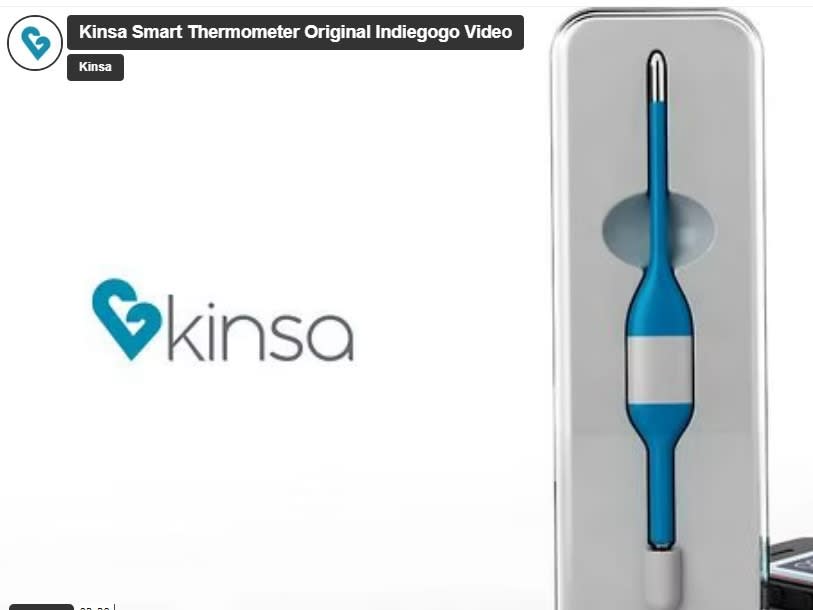
See how the Smart Thermometer video addresses the What, Who, Why, and How of the product.

A Story
Stories get people excited and motivated, by touching people’s emotions and helping them to start seeing and believing what you want them to. If you tell your story well, it will stick; people will remember and share it. Stories can be powerful. The most challenging part of creating a pitch video is coming up with a story that clearly explains the value of your idea while enticing the viewers.
See how the TeachWell video uses storytelling.
Personal
People get excited about new ideas when they can connect to the creators behind it. When creating your video pitch, be sure to:
Speak directly to the camera, as if you are speaking directly to the audience. You can do this, even without showing your face.
Be honest - don’t misrepresent yourself or your ideas
Show your passion - If you believe in something, others are more likely to believe in it too!
See how this Instagram video appeals to people’s emotions.
Sound & Visuals
After all this work, you want to be heard! Make sure to record in a quiet space and use clear and loud voices. You may wish to use music if it enhances your story. Photos, graphics, video, and drawings are almost as important as the spoken words. Some people will pay more attention to what they see than what they hear.
See how the Furbo video uses sound and visuals.
Pitch Style
The most challenging part of the video is coming up with a story that clearly explains the value of your idea while enticing viewers.
As you plan your video for your product idea, business concept, or marketing campaign, think about the tone of your solution. Is your solution happy and bubbly? Is it smart? Is it serious and beautiful? Consider your target users and their everyday lives. What tone would capture them? Watch some videos to see pitch styles with different tones.

A Day in the Life (2:34)

Voiceover (1:07)

Design Story (2:08)
Problem and Solution (3:37)
Not sure where to start? Check out these Kno Pro winning submissions for inspiration!
Step 2: Plan Your Video
Compile all your notes and prototypes to plan your video. You may want to create storyboard (make a copy of this) or script. Be sure to use this Google doc Checklist (make a copy) or the PDF before submitting your 3-5 minute video pitch. Read it carefully. The KPMG judges will be judging you on the criteria.
Once you have a script and storyboard, be sure to practice your video before recording. Then, record!

Free Video Creation Tools (in addition to YouTube)



Mentor Moment: Share Your Pitch
Get feedback from a mentor, who may be judging your project! Share your script, storyboard, or your final pitch video. Consider the feedback you'd like from a mentor.
Share your pitch with a mentor and get professional feedback before you submit it!
Step 3: Submit Your Video
Are you ready to submit your final 3-5 minute video to the KnoPro judges?
Ready to Submit Your Pitch?
Check if you're ready to submit your video pitch. If so great work! The judges are standing by to review your video! Flip each card to see if you're ready to submit.

PRO Criteria
PRO Criteria
Does your pitch meet the PRO criteria? Purpose: Clearly shows the problem you addressing and why it's important; Results: Shows how your idea will have an impact; and, Originality: Unique idea and it is presented creatively.
Rehearse & Feedback
Rehearse & Feedback
Did you rehearse your video and get feedback? Did you improve it based on the feedback?
Test
Test
Did you test the video so that it can be viewed by anyone? You can open an incognito / private browser to test this. Make sure your video is 3-5 minutes.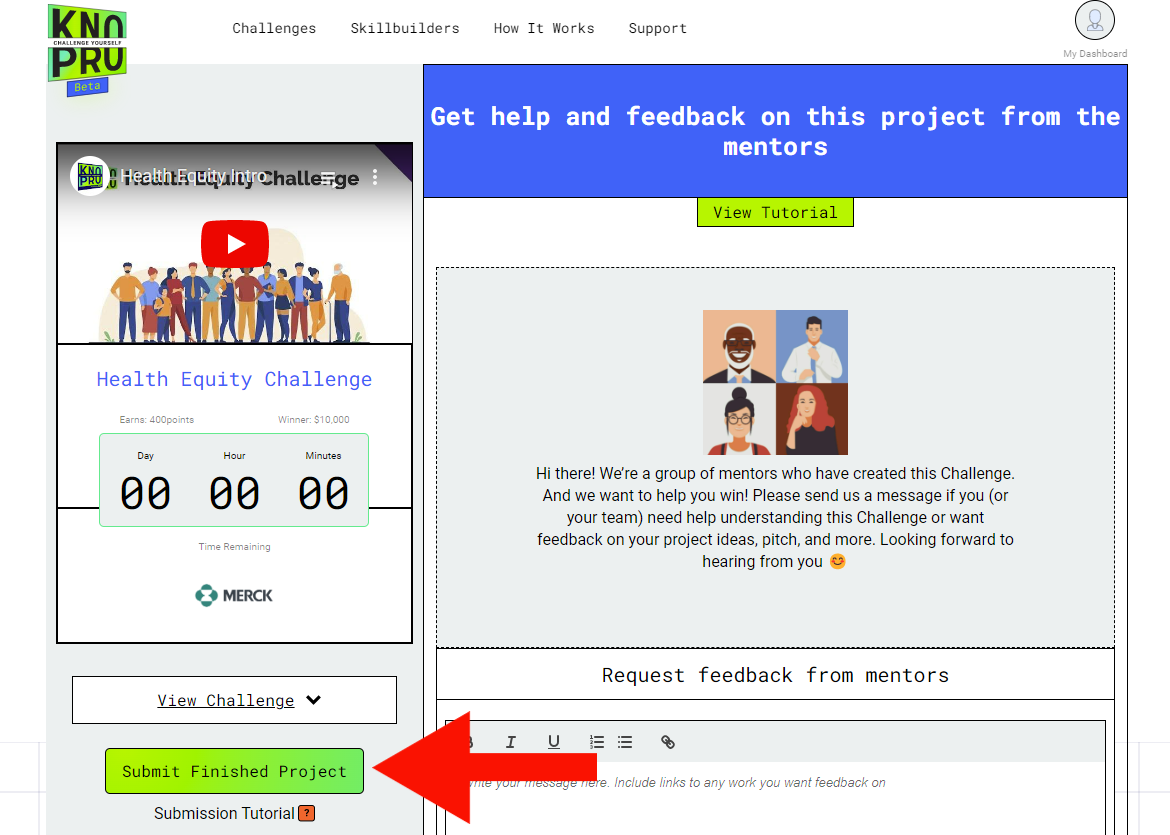
Submit Your Video!!!
Submit your 3-5 minute pitch link in your project area. Be sure to test that your video link can be viewed by anyone on the Internet. You can open an incognito / private browser to test this. Watch a video to see how to do this.
Only one student needs to submit the link to the video, but every other student (if part of a group) needs to also click “Submit Finished Project” on their student dashboard and complete a short reflection survey before the project will be officially submitted.
Note: If you've had problems joining a group for the project, add the names of the students who worked on the project in the comments area below the link to the video.